Six months behind.
Turn bank statements into a catch-up plan.
Catchupbooks turns a bank CSV export into a month-by-month catch-up plan. Upload your statement, and the tool shows what each month needs — how many transactions to review, which payments may need a receipt, what looks like a recurring bill, and how long each session will take at your pace. No account needed, no data leaves your browser, no cost.
01 / WHAT IT IS
The hard part is knowing where to start.
When the books are months behind, the problem is not the bookkeeping — it is that every month looks equally urgent, so no month gets done. Catchupbooks removes that paralysis by reading your statement CSV and splitting the work into one section per calendar month, oldest first, with a clear checklist for each.
You see exactly how many transactions each month has, what went in and out, which payments may need a receipt, what looks like a recurring bill you can categorise once, and what does not fit your usual pattern. Every month gets an estimate of how long it will take at the pace you choose. "Six months behind" becomes six dated sessions you can actually start.
02 / HOW IT WORKS
Three steps, and the plan is yours.
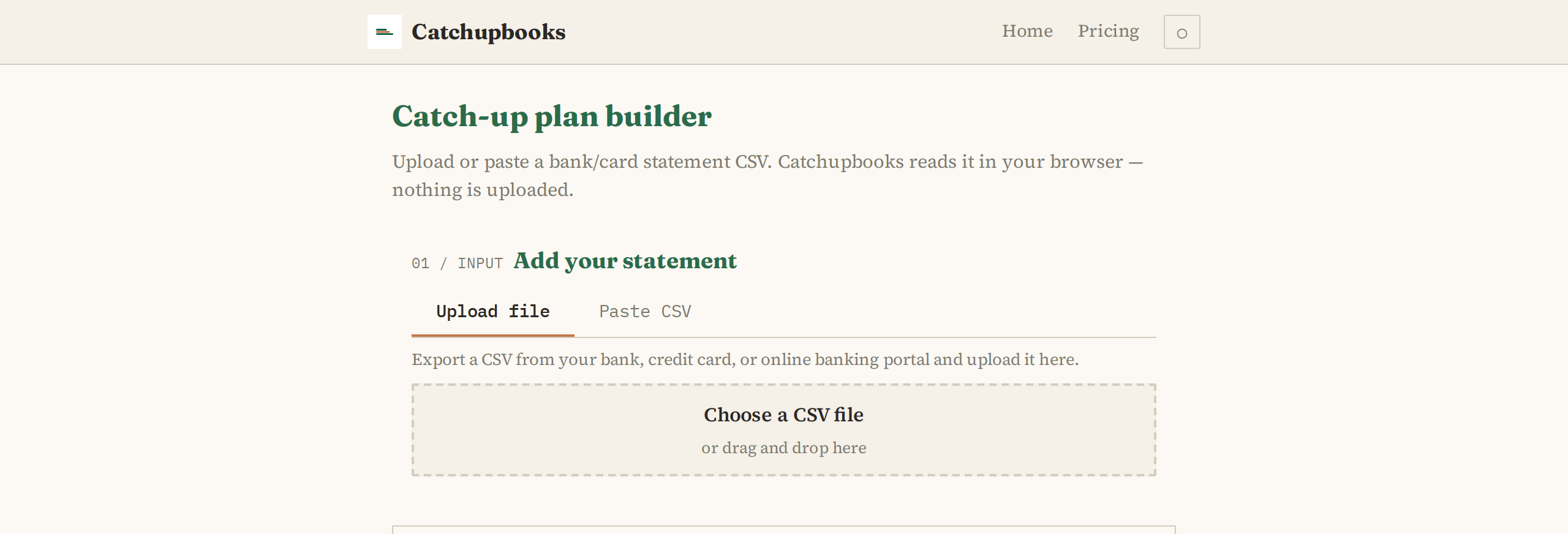
Upload or paste. Export a CSV from your bank or card provider and drag it onto the page, or paste the text directly. The data is read in your browser and never leaves it — nothing is uploaded, no account needed, no server involved.
Review and set your preferences. Catchupbooks detects which columns hold the date, description, and amount. Confirm the mapping or adjust it with the dropdowns. Set a receipt threshold — any transaction at or above this amount gets flagged as needing a receipt — and choose your session pace.
Generate your plan. The tool splits the transactions by calendar month and builds a checklist for each: how many transactions, money in and out, flagged receipts, recurring bills, unusual items, and an estimated number of sessions at your pace. Download the whole thing as a CSV or print it.
03 / WHAT IT COSTS
The tool costs nothing to use.
Catchupbooks is free. There is no sign-up, no account, and no trial that expires. The statement stays in your browser and is never stored or uploaded. Every feature — column mapping, receipt detection, recurring-bill recognition, unusual-item flagging, session estimation, and CSV download — is included with nothing locked behind a pay tier.
Because there is no server involved, there is nothing to pay for. The tool works as long as your browser works. See the pricing page for details →
04 / WHAT IT DOES NOT DO
Some things belong with an accountant.
Catchupbooks is a planning tool, not accounting software. It organises your transactions into a structured plan so you know what to tackle. It does not do any of the following:
- Connect to any bank, credit card, or accounting system. All data comes from a CSV export you provide.
- Categorise transactions for tax purposes. Which category an expense falls into depends on your country and circumstances, and that is a question for a qualified professional.
- Determine which expenses are deductible or claimable. The tool flags transactions above a threshold for receipt review — it does not decide whether something qualifies as a deduction.
- File anything with any tax authority. No returns, no submissions, no regulatory filings of any kind.
- Provide accounting or tax advice. The output is an organised list of what you have spent and received, not guidance on what to do about it.
- Store or upload your data. Every byte of your statement stays in your browser until you close the tab. Nothing is sent to a server.
If you need tax advice, a qualified accountant is the right person to talk to. Catchupbooks helps you organise what you bring them.
05 / WHY THIS APPROACH WORKS
Smaller sessions add up to a finished job.
The people who catch up on their books are not the ones who block out a whole weekend. They are the ones who do one month at a time, in whatever rhythm their life allows — a lunch break, an evening, half an hour between meetings.
Catchupbooks gives you that rhythm. It tells you how many sessions each month needs at the pace you set, with a checklist that names exactly what to look for: which receipts to find, which descriptions to categorise once, which transactions look unusual and might need a second look. You do not have to remember what to do next — the plan tells you, one month at a time.
SOMETHING TO TAKE WITH YOU
Open your statement and begin.
Export a CSV from your bank or card provider — most let you download a statement as CSV in one click. Open Catchupbooks, drop the file in, and your first month plan takes about a minute to generate. No account, no cost, no data leaves your machine.
Go to the tool →